vCard File Viewer Tool

Jagware
Free vCard File Viewer

The professional-grade vCard viewer tool to view vCard file for free without any struggle. The VCF Viewer can read vCard file from all the versions of VCF Files including vCard 4.1, vCard 2.1, iCard, hCard, xCard and from Mobile OS which is Android, Windows and iOS. The software is freely accessible to all kinds of users, technical and general audience, offering an intuitive interface and smooth user-journey. Download vCard viewer at no cost and experience to view vCard file hassle-free.

(Average Rating 4.9 based on 489 Reviews)

  • Free VCF Viewer to read VCF files right away in no time.
  • vCard Viewer tool supports unlimited file size and lengthy content.
  • Preserves the original data structure while reading vCard files.
  • 100% safe, secured and glitch-free tool to view vCard files.
  • Highly compatible with all Windows Operating Systems.
  • Capable of accessing corrupted/damaged vCard files.
  • Proficient tool to view and read contacts from vCard file.
  • vCard Viewer tool for PC offers to view VCF files across all vCard versions.

Live Free Demo: Download Free Demo Edition to Export 25 items from each folder.

How to View VCF File with Jagware vCard File Viewer?

Read vCard File Directly in 4 Quick Steps:

  1. Firstly, download and launch the Jagware vCard Viewer on your PC.
  2. Next, add needful vCard files or folders.
  3. Now, all the VCF folders will show in the GUI.
  4. Finally, select the desired vCard file to preview data.
dual mode

View Multiple VCF Files with Advanced VCF File Viewer

The vCard file viewer can access multiple VCF files in a single process. Overall, this reduces the time and effort of opening individual vCard files one at a time. Users can simply select multiple vCard files, all at once and preview it with attached information. In order to make the process more convenient for users, the tool offers dual options:

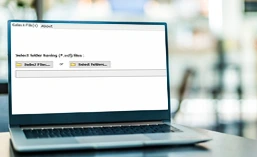
  • Add Files- Choose the option to upload the individual VCF file as needed.
  • Add Folders- Select the option to load the entire folder with multiple vCard files at once.

This makes the process ideal for users who deal with large volumes of VCF data which demands an efficient solution to streamline the process.

Prominent Features of JagWare vCard File Viewer

Let's discover some of the most salient features of the VCF File Viwer Tool.

view attachments

View VCF Data with Attachments

The vCard file contains crucial information and details of all the contacts stored in the file. The software allows users to access the attachment like contact photo with all the details saved in a VCF file. Users can open, view, load, and read unlimited VCF files using the JagWare vCard File Viewer paying no cost.

maintains integrity

Maintains VCF File Data Integrity

The vCard viewer is designed to make a lasting impact with its innovative mechanism. What sets JagWare free vCard File Viewer is its ability to preserve integrity of VCF file data and maintain the original structure of folders. It keeps the database completely intact without disturbing any elements.

supports corrupted vcf file

Supports Corrupted VCF Files

The VCF reader for PC has ability to preview or access data from corrupted or damaged vCard files. Users often have corrupted VCF files which they need to access and preview the data. Hence, the vCard file viewer not just helps accessing corrupted files but also provides a option to save the damaged VCF file if required.

no third-party software needed

No Dependency on Third-Party Email Client

The JagWare vCard File Viewer is an independent tool and doesn’t require any third-party email client to be launched on the system. The tool can open vCard .vcf files available in any Windows Operating System version. It’s developed to focus on the vCard file which needs to be accessed regardless of the application that supports the respective file type.

supports all versions

Supports all vCard File Versions

The VCF File Viewer is a versatile software which supports all the vCard versions like 4.1, 2.1, iCard, hCard, xCard, and across all mobile OS and devices. Therefore, it makes it convenient for users to access their complete data regardless of its size or length of the vCard file or exported or created from any platform.

user-friendly interface

Easy and Effortless User-Journey

The VCF file viewer for PC is designed to accommodate users at all levels, whether they belong to technical background or just a beginner, or maybe just a domestic user or an employee working in the IT department of an organization. The application comes with a user-friendly interface and smooth navigation to all its features, making it a flawless user-journey.

What Sets Jagware vCard File Viewer Apart from Others?

Explore Factors Behind the Trust of Thousand's Users for this Ground-breaking Software.

view complete data

Read VCF File with All Elements

The vCard file contains data like contact image, name, address, company, company address, phone number, personal email address , etc. The VCF reader can instantly view and read the whole data of vCard files including all the attributes.

no email client needed

No Third-Party Installation Required

The JagWare vCard File tool is a stand-alone application to view and read complete data stored in the VCF file. Users don’t need to install any third-party email application to run the software. The software has innovative and robust features to streamline the process.

provides dual options

Provides Twin Option to View Data

The VCF file reader offers two options to add a single or multiple .vcf files in one go. Users can either select Add Files or Add Folders option as per their requirement to access the data. It’s a ground-breaking application which helps users boost productivity.

supports all windows versions

Supports all Windows Operating Systems

The free vCard Viewer is a versatile software and compatible with all Windows Operating Systems including Windows 11, 10, 8, 7 and other previous versions. Moreover, it also supports all Windows Server Windows Server 2019, 2016, 2012, 2008, etc.

vCard File Viewer Tool Specifications

Let’s know the Specification Needed to Run the JagWare vCard File Viewer.

Software Download

File Size: 14.1 MB

Version: 3.0

Trial Limitations

The vCard file viewer is free of cost and allows to view and read VCF files, however users cannot save the vCard file to any format with the free version. If a user needs to convert the viewed file, they need to purchase the upgraded version of the vCard viewer to enjoy advanced features.

System Specifications

Hard Disk Space
Minimum 100 MB Space

RAM
Minimum 2 GB RAM

Processor
Intel® Pentium IV Processor (An IV-capable processor is advised)

Supported Editions

  • Microsoft Windows – Windows OS 11 (64 bit), 10, 8, 7 (32 bit or 64 bit) & Windows Server 2022, 2019, 2016, 2012 R2, 2008
  • Mac OS: vCard File Viewer is compatible with all editions of Mac OS. It supports macOS 12.0 (Monterey), macOS 11.0 (Big Sur), mac OS 10.15 (Catalina), macOS 10.14 (Mojave), macOS 10.13 (High Sierra), macOS 10.12 (Sierra), OS X 10.11(El Capitan), OS X 10.10 (Yosemite), OS X 10.9 (Mavericks), OS X 10.8 (Mountain Lion).

Electronic Delivery

After payment, You'll receive an email with the download link and activation key for the Jagware vCard File Viewer, with instant access and activation.

Frequently Asked Questions

Commonly Asked Questions and Answers

Follow the below quick steps to run Jagware vCard File Viewer:

  • Download and Run the Tool on your PC.
  • Select Add Files or Add Folders.
  • The Tool will show all the VCF folders in the panel.
  • Choose the needful VCF file to preview the data

Yes, Jagware vCard File Viewer guarantees 100% safety and security of your private contact data as it doesn't upload any data on cloud and rather processes it locally.

Yes, at Jagware we offer free 24*7 technical support for our customer once the solution is purchased.

Customer Reviews for Jagware vCard File Viewer

Client’s Feedback After Using Jagware vCard File Viewer Tool