OST Converter box

Jagware
OST Converter Software

OST File Converter efficiently converts inaccessible, corrupted, and orphaned OST files into 35+ saving options. This software can convert OST emails, contacts, calendars, tasks, and all types of attachments.

(Average Rating 4.9 based on 491 Reviews)

  • Convert OST files into various formats such as Convert OST to CSV, PDF, MBOX and many more.
  • Supports single or batch conversion of OST files without facing any size limitations.
  • Advanced filters to convert selective mailbox data by date, subject, or any specific keyword.

Live Free Demo: Download the Free version to convert the first 25 Items from each folder.

Key Benefits

Let's Know Outstanding features of OST File Converter Tool

Convert OST Files to Multiple Email Servers

Convert OST Files to Multiple Email Servers

Jagware OST File Converter offers to import OST files into Outlook, Gmail, Microsoft 365, Thunderbird,and many more. Users can also consolidate all email client data in one place instantly.

Supports Batch Conversion

Supports Batch Conversion

Microsoft OST Converter can easily convert single or multiple OST and NST files in one go. As this software can also offer to select a file or any specific folder to convert a batch number of OST files at a single shot.

Convert Damaged/ Orphan OST Files

Convert Damaged/ Orphan OST Files

This OST Converter Tool can easily convert all types of OST files. So no need to worry when OST files get corrupted, orphaned, OST makes inaccessible, or OST files exceed their size limit. As this OST Conversion Tool can easily restore and convert OST files. In addition, it can also handle the over-size OST file into multiple file formats as per needed.

Encrypted OST File

Encrypted OST File

As sometimes users have encrypted OST files with various encryption standards like OpenPGP or S/MIME. This software plays a prime role in decrypting OST files without altering the original file and also no need to worry about OST file corruption, data loss or any formatting error.

Supported All Outlook Version

Supported All Outlook Version

Microsoft OST Converter is advanced software capable of converting any OST file generated by any version of Outlook. The supported versions include Outlook 2021, 2019, 2016, 2013, 2010, 2007, 2003, 2002 and all other versions of Outlook.

Destination Freedom

Destination Freedom

Microsoft OST Converter offers full destination freedom to export resultant files into any storage device such as hard drive, flash drive, USB drive or any storage device. You can also create a new folder directly from its panel.

Load Data from Configured Outlook Profile

Load Data from Configured Outlook Profile

Users sometimes face issues finding OST files. This OST Converter Tool resolves this by by automatically detecting the OST file from the configured Outlook profile location. You don’t need to load OST files in the tool.

Advanced Option for Resultant Outlook File

Advanced Option for Resultant Outlook File

If you have a batch of OST files and want to export a separate Outlook data file for each user using OST Converter. It allows you to export Outlook data files corresponding to each user’s OST file. Additionally, you can split oversized OST files into smaller sizes, such as 2 GB, 5 GB, 10 GB, 20 GB, 30 GB, and more, as needed.

Change Language Feature

Change Language Feature

It allows users to rename folder names in specific languages such as English, Dutch, French, German, Spanish, Swedish, Norwegian, Italian, Finnish, Polish, Czech according to the user preferences.

Use Recovery Mode

Use Recovery Mode

If you have corrupted OST or NST files, you can enable “Use Recovery Mode” to restore the OST file and easily convert it into any desired file format. It repairs and exports the resultant file without affecting the source file.

Ignore System Folder

Ignore System Folder

OST Converter Tool also offers Ignore System Folder to exclude folders from the system directories. During the conversion this feature allows to prevent system directories folder such as Users, Appdata, Program files to make prime focus on user data.

File Naming Option

File Naming Option

You can also take benefits of file naming convention to organize mailbox data as per subject+date(dd-mm-yyyy),from+subject+date(yyyy-mm-dd),Date(dd-mm-yyyy)+from+subject, Subject, AutoIncrement any more.

Advanced Filter Settings

Advanced Filter Settings

Jagware OST File Converter allows to convert OST mailbox data as per date range, from, to, subject, exclude folders, organizer, root folder, exclude empty folder and many more. This software is beneficial for organizing mailbox data and also helpful to skip unnecessary files.

Windows and Mac Operating System

Windows and Mac Operating System

This software is compatible with all the versions of Windows Operating system such as Windows 11, 10, 8, 7, and all other editions. You can also run it on mac sequoia, sonoma, ventura, monterey, big sur, catalina, mojave, high sierra, sierra, Leopard, tiger, panther, jaguar and many more.

Language Support

Language Support

Microsoft OST Converter comes in various languages such as English, Dutch, French, Italian, Polish, and many more, allowing users to operate it easily without being familiar with any specific languages.

Export OST Types of Data

Export OST Types of Data

This software can easily convert an OST file with emails, headers, calendars and contacts without leaving any data behind it. OST Converter Tool can convert any type of data such as files, images, contacts, and calendar as per needed.

Export Options

OST Converter Export into 30+ Saving Options

MSG
MSG

TXT
TXT

MBOX
MBOX

XPS
XPS

RTF
RTF

DOC
DOC

PNG
PNG

PDF
PDF

JPEG
JPEG

TIFF
TIFF

Upload OST File

How Does an OST Converter Work?

Users often need to convert their OST files into more accessible formats. They might want to backup their OST file data or migrate to another email client. Microsoft OST Converter makes converting OST files into different formats easier and faster.

Quick Steps to Convert OST File Using Jagware OST File Converter

  • Download and run OST Converter Software on your machine.
  • Select OST file/folder or automatically detect Outlook profile as per needed.
  • Now, browse file formats in the list of select saving features.
  • Provide a path and click on convert to get the resultant file instantly.

Multiple Option

Why OST Converter Tool is Essential?

Multiple Option to Load OST File

Multiple Option to Load OST File

Microsoft OST Converter offers multiple features for loading OST files. It can automatically detect configured Outlook OST files or allow you to select any specific OST file or folder that you want to convert.

Handle Oversize OST File

Handle Oversize OST File

It can handle OST files of any size and convert them into the desired file format with a single click. The Jagware OST File Converter also offers user-friendly features, making it easy for all types of users to operate.

Why Users Prefer This Tool?

What Makes Jagware OST File Converter Stand Out?

Zero Loss Guarantee

Zero Loss Guarantee

Jagware OST Conversion Tool guarantees the prevention of data leakage during the process and get fully accurate and maintained results.

24/7 Customer Support

24/7 Customer Support

One of its standout features is the knowledgeable support team, which is dedicated to assisting users 24/7. They can help users with any problems they encounter.

Error-Free Conversion

Error-Free Conversion

OST File Converter offers completely error-free conversion. With this application, there is no risk of file corruption, damage, or loss during the OST file conversion.

Convert All Email Data Intact

Convert All Email Data Intact

This software allows you to convert OST file with emails, attachments, contacts, calendar, tasks, and many more with preserved mailbox attributes.

Working Steps

See the Complete Video to Learn the Process to Use OST File Converter

System Requirement

Let’s Know the Needs to Install the Jagware OST Converter

Software Download

File Size: 29 MB

Version: 7.4

Free Version

This tool can convert the first 25 emails from each folder to analyze the performance and its beneficial features.

System Specifications

Hard Disk Space
Minimum 100 MB Space

RAM
Minimum 2 GB RAM

Processor
Intel Pentium 1 GHz Processor(2.4Ghz is recommended)

Supported Editions

  • Microsoft Windows – Windows 11, 10, 8.1, 8, 7, Vista, and Windows Server editions including 2022, 2019, 2016, 2012, 2008, and 2003.
  • Mac OS: Versions 15 Sequoia, 14 Sonoma, 13 Ventura, 12 Monterey, 11 Big Sur, 10.15 Catalina, 10.14 Mojave, 10.13 High Sierra, 10.12 Sierra, OS X 10.11 El Capitan, 10.10 Yosemite, 10.9 Mavericks, 10.8 Mountain Lion, and more.

Electronic Delivery

After payment, you will receive an email with the download link and activation key to instantly activate and unlock all beneficial features.

Comparison

OST Converter Tool -– Demo Version and Pro Version

  •  
  • Advanced Filters
  • Batch Conversion
  • Choose Specific OST file
  • Generate Log Report
  • Preserved Attributes and Structure
  • Convert Batch OST Files
  • Price
  • Free
  • First 25 items/folder
  • Free
  •  Download
  • Most Popular
    Pro
  • All Items
  • $29
  •  Purchase

Common Queries

Often Inquired Questions and Answers

Follow the Instructions to Convert OST File:

  • Step-1. Download and install Jagware Microsoft OST Converter on your machine.
  • Step-2. After clicking on the next button, choose Outlook configured profile or select manually OST file.
  • Step-3. Select file format in the various options of select saving feature.
  • Step-4. Browse path for result and select advanced filter according to your needs.
  • Step-5.Click on convert and the software will show you the live conversion process.

If you want to open your OST file, we recommend using Jagware Free OST Viewer to preview all mailbox data without affecting the source file.

You can rename the OST file by right-clicking on the OST file and tap on the rename option. We recommend you to rename it as ost.old.

OST file stands for offline storage table and It works similarly to its name, allowing Outlook users to access mailbox data offline.

Why This Software is Trusted Worldwide

Key Features and Functions of OST File?

Open OST File in MS Outlook

How to Open OST File in MS Outlook?

An OST file, stored locally on your device, may occasionally become disconnected from Outlook, preventing direct access to your offline data. When this happens, users may need to access their OST file directly in Outlook to retrieve important emails, extract contacts from OST file, and other data.

OST Files Inaccessible

What Makes OST Files Inaccessible?

OST files can get corrupted when users attempt unauthorized access, change the path to the offline folder, or transfer the file from one platform to another.Then Jagware OST Converter can restore OST file.

Difference Between OST and Outlook Data Files Files

Difference Between OST and Outlook Data Files

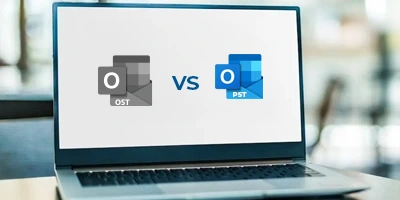
Key difference between OST and Outlook Data files is that OST files are used for offline access and synchronization with the server, while Outlook Data Files (PST) are primarily used to store and archive emails, contacts, and other items locally.

Client's Feeeback

What Clients Say For OST Converter?